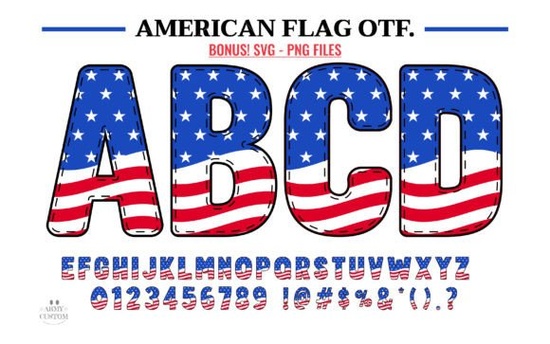
If you need a patriotic font that feels like it was made for Independence Day projects, veteran pride campaigns, or any design with a strong American theme, American Flag Font is a solid choice. It draws inspiration from the stars and stripes, so the letters carry a sense of heritage and national pride without being over the top. Whether you’re making a T-shirt for a July 4th parade, a poster for a local fundraiser, or a digital graphic for a small business, this typeface adds that classic Americana feel you’re after.
Is This Font Compatible with My Software?
This is probably the first question designers ask before downloading any font. The American Flag Font comes in two versions: a black version and a color version. The black version works with Cricut Design Space and other cutting machines. So if you’re using a machine to cut vinyl for a shirt or sign, you’re good to go with the standard black file.
The color version, however, has a specific requirement. It is only compatible with design programs like PhotoShop, Illustrator, Silhouette, and Inkscape. The OTF/TTF files from the color version will not work in Cricut Design Space. If you plan to use the colorful stars-and-stripes effect, you need to design in one of those supported apps and then export the finished graphic. For more details, check the Ultimate Font Guide included with your purchase.
How to Use the Black Version in Cricut Design Space
- Download and unzip the font files on your computer.
- Install the font by double-clicking the .ttf or .otf file and selecting “Install.”
- Open Cricut Design Space and create a new project.
- Add text, then change the font dropdown to “American Flag Font (Black).”
- Adjust size and weld or slice as needed for your design.
It’s that simple. The black version works like any other standard font in Cricut, so you can layer it, curve it, and cut it easily.
Can I Use the Color Version for Print-on-Demand Items?
Absolutely, as long as you prepare the design in a compatible program first. If you sell T-shirts, mugs, or phone cases on platforms like Redbubble or Printful, the color version gives your products a distinct look. The letters feature a red, white, and blue pattern that mimics the American flag, so you don’t need to manually add stripes or stars. Just type your word or phrase in PhotoShop or Inkscape, save the file as a PNG with a transparent background, and upload it to your print-on-demand store.
Small businesses and hobbyists often use this font for custom tote bags, banners, and even digital invitations. Since the color version is tied to specific software, you can take advantage of layering and effects that Cricut doesn’t support.
What’s the Difference Between the Black and Color Versions?
The black version is a standard single-color outline and fill – perfect for cutting machines and simple screen printing. The color version includes the actual red, white, and blue pattern inside the letter shapes. That pattern won’t transfer to Cricut Design Space because Cricut treats it as a graphic, not a font. If you only need a solid patriotic color, the black version works fine. But if you want the full flag effect in your digital design, the color version is the way to go.
For a different style of colorful type, you might also check out the Neon Rainbow Font – it gives a bright, playful vibe that works well for non-patriotic projects or events that need a pop of multicolor.
What Else Can I Do with a Patriotic Font?
Besides the obvious July 4th projects, this font fits nicely into any design that celebrates American history or pride. Think school projects, local community event flyers, veteran’s day graphics, and even product packaging for USA-made goods. Because the font is designed from national imagery, it carries a sense of trust and heritage.
- Create a logo for a small patriotic clothing line.
- Design a printable banner for a Memorial Day barbecue.
- Make a digital card for Independence Day.
- Add a title to a scrapbook page about a family trip to a national monument.
The possibilities are broad, and since the font is part of the colorful fonts category, you can mix it with other designs for a layered look.
Practical Checklist for Using the American Flag Font
- Decide if you need the black version (for cutting machines) or the color version (for design software).
- For the black version, install the font on your computer and use it in Cricut, Silhouette Studio, or other cutting machine software.
- For the color version, design your text in PhotoShop, Illustrator, Inkscape, or a similar program that supports color fonts.
- Export your finished design as a PNG or SVG before uploading to Cricut or a print-on-demand service.
- Test the font on a small project first to ensure the style fits your brand or event.
- If you need a different multicolor style, browse the American Flag Font category on Creative Fabrica for more patriotic options.
Getting the setup right from the start saves you from frustration later, especially if you’re new to working with color fonts. Download the font, read the included guide, and start adding a touch of nostalgia to your next design.
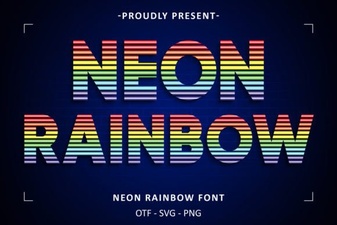 Craft Your Own Neon Rainbow Font Design Guide
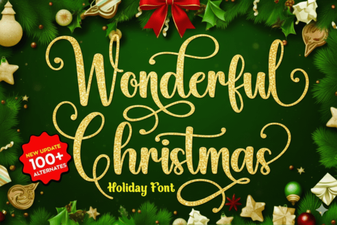 Festive Typography: Designing a Wonderful Christmas Font
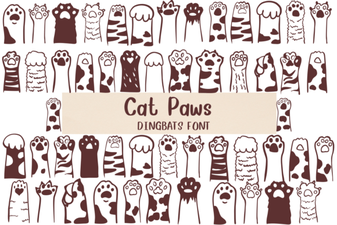 Designing with the Cat Paws Font Family
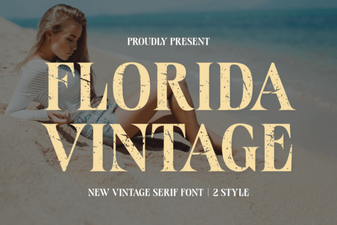 Design a Project with Vintage Florida Fonts
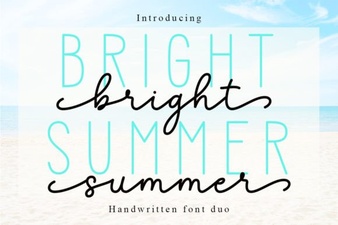 Bright Summer Duo Font for Creative Projects
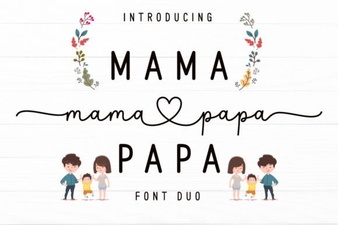 Mama Papa Duo: Creative Font Pairings for Design Projects